Motocross The Game best settings
The settings below come from two places: the developers' own controls video, and Kelso, a player who posted top-5 and top-10 times on the 250F leaderboards after about 70 hours in the pre-launch build. Use them as a starting point, not a rule.
Checked 19 November 2026. Kelso recorded his video two days before the 16 November launch and says some values may change with updates.
Riding aids
The game has six riding aids. The developers' advice for new riders is to start with them on and “turn them down one by one until it's just you and the bike”.
| Riding aid | Kelso, 70 hours |
|---|---|
| Front ABS | OFF |
| Rear ABS | ON |
| Traction control | OFF |
| Anti-stoppie | OFF |
| Anti-wheelie | OFF |
| Automatic gearbox | OFF |
Why only rear ABS: Kelso's rear brake is on a stick click, which is either on or off. Without rear ABS he found the rear wheel locking and chattering under braking. His front brake is on an analog trigger that he can squeeze, so front ABS stays off.
If you are in your first hours, keep the aids on. Take one off, ride the same track for a session, and only then take the next one off. That is the developers' own sequence, and it tells you which aid was covering which mistake.
Source: Steam store page (Virtual MX Studios, read 19 November 2026); My BEST Settings After 70 HOURS in Motocross The Game! (player video by Kelso, 14 Nov 2026).
Steering
Developer reference
Shown in the official controls video, credited to the rider Stone Rider
- Steering gain
- 5
- Sensitivity
- 0
- Linearity
- 0
- Dead zone
- 0
The video calls these “reference settings, not numbers everybody must copy”. Quick steering with nothing filtered out.
Kelso, 70 hours
Player with top-5 and top-10 times on the 250F leaderboards before launch
- Steering gain
- +1
- Sensitivity
- −4
- Linearity
- 0
- Dead zone
- 5
Much calmer. He found gain 3 to 5 “way too sensitive” and gain 0 or −1 too slow to turn the bike.
What each slider does and how to tune from these two points is on the steering settings page.
Source: MTG Explained: Controls and Controller Setup (official Motocross The Game YouTube channel, 16 Nov 2026); My BEST Settings After 70 HOURS in Motocross The Game! (player video by Kelso, 14 Nov 2026).
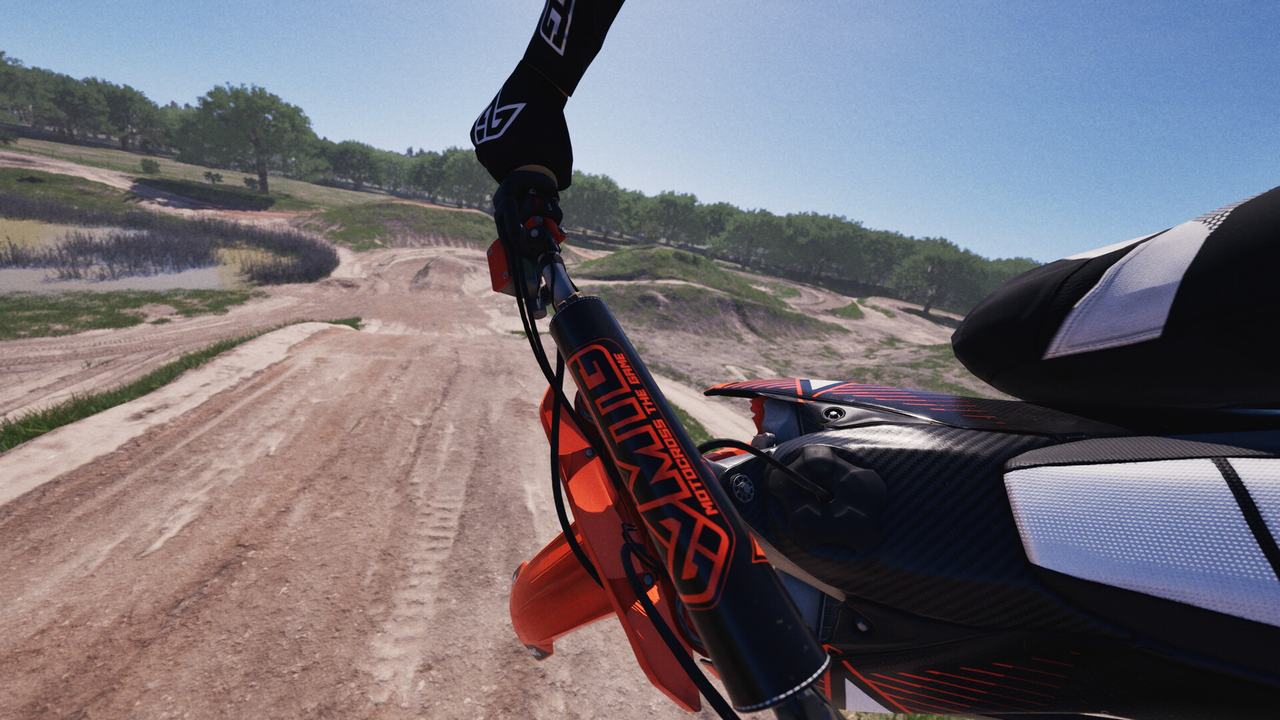
Camera and FOV
| Onboard 1 FOV | 120 Kelso and Slick Dozer both use it |
|---|---|
| Onboard 2 FOV | 120 Kelso |
| Default seen in video | 100 on Onboard 1, in Slick Dozer's video |
The FOV slider arrived in a pre-launch update. Kelso says first-person riding “felt so much better” after it; Slick Dozer says 120 looks closest to what you would see sitting on a real bike. Kelso suggests trying 115 or lower if 120 feels too wide.
Source: My BEST Settings After 70 HOURS in Motocross The Game! (player video by Kelso, 14 Nov 2026); Motocross The Game Beginner Guide: 5 Tips to Get Better FAST! (player video by Slick Dozer, 15 Nov 2026).
Video settings
| Display mode | Borderless windowed, 2560 × 1440 |
|---|---|
| VSync | Off |
| Frame rate limit | Unlimited |
| Graphics | High preset, individual options untouched |
These are Kelso's and say nothing about your hardware. For a sense of the lower end: on a ROG Xbox Ally X handheld, one player reports 45 to 58 fps on the medium preset with TAA or TSR, and 80 to 90 fps with FSR on balanced, where the game switches on frame generation by itself. He did not like how frame generation felt.
Source: My BEST Settings After 70 HOURS in Motocross The Game! (player video by Kelso, 14 Nov 2026); Anyone know how this runs on the ROG Xbox Ally (base)? (Steam discussion thread, 18 Nov 2026).
Audio and interface
Kelso runs master volume 50, music 30, and environment, bike and other bikes at 50, noting that the game is loud. Units are a preference: he uses imperial for miles per hour.
Controller layout
Bindings matter as much as sliders in this game, mostly because of where you put the rear brake and the sit button. The default layout and two player layouts are on the controls page.
Short answers
What are the best settings for Motocross The Game?
There is no single best set. The developers' reference steering is gain 5, sensitivity 0, linearity 0, dead zone 0. Kelso, a top-5 leaderboard rider, runs gain +1, sensitivity -4, linearity 0, dead zone 5, only rear ABS on, and 120 FOV.
Which riding aids should I turn off first?
The developers suggest turning assists down one by one as you learn. Kelso ended up with only rear ABS on, because his rear brake is on a button and cannot be squeezed gradually.
What FOV should I use in Motocross The Game?
Two players who published their settings, Kelso and Slick Dozer, both recommend 120 for the onboard cameras. The default onboard view shown in Slick Dozer's video was 100.
Spotted something wrong or out of date on this page? Tell us and we fix it the same day.